
Free Website Maintenance Checklist for Small Businesses
Your website is one of the most important tools for your business. It helps customers discover your services, learn about your products, contact your team, and make purchases. But simply launching a website is not enough. Regular website maintenance is essential to keep everything working properly.
Many small-business owners focus on marketing and sales but forget about website maintenance. Over time, outdated plugins, broken links, slow-loading images, security vulnerabilities, and technical errors can negatively affect website performance.
The good news is that you do not need a large budget to maintain your website. With a simple maintenance routine, you can improve security, website speed, user experience, and search engine visibility.
In this guide, you will discover a free website maintenance checklist for small businesses that you can follow weekly, monthly, and quarterly.
1. Why Is Website Maintenance Important?
Website maintenance means regularly checking, updating, monitoring, and improving your website to ensure everything works correctly.
For small businesses, website maintenance is important for several reasons:
Website Security: Outdated software and plugins can create security vulnerabilities. Regular updates and security monitoring help reduce risks.
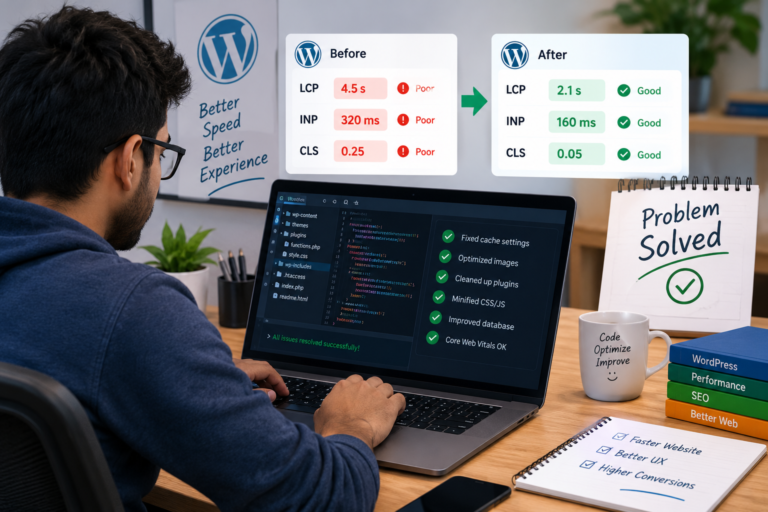
Better Website Speed: Large images, unnecessary scripts, and outdated plugins can slow down your website. Optimization improves loading performance.
Improved User Experience: Customers expect websites to work smoothly on computers, tablets, and smartphones.
SEO Performance: Broken links, indexing problems, poor mobile usability, and technical issues can affect search visibility.
More Customer Inquiries: Functional contact forms, booking systems, and checkout pages help customers complete important actions.
A well-maintained website creates a professional impression and helps customers trust your business.
2. Free Website Maintenance Checklist
Here is a practical checklist that small-business owners can use without purchasing expensive maintenance software.
Weekly Website Maintenance Tasks
Complete these tasks once every week:
- Check whether your website is loading correctly.
- Test contact forms and inquiry buttons.
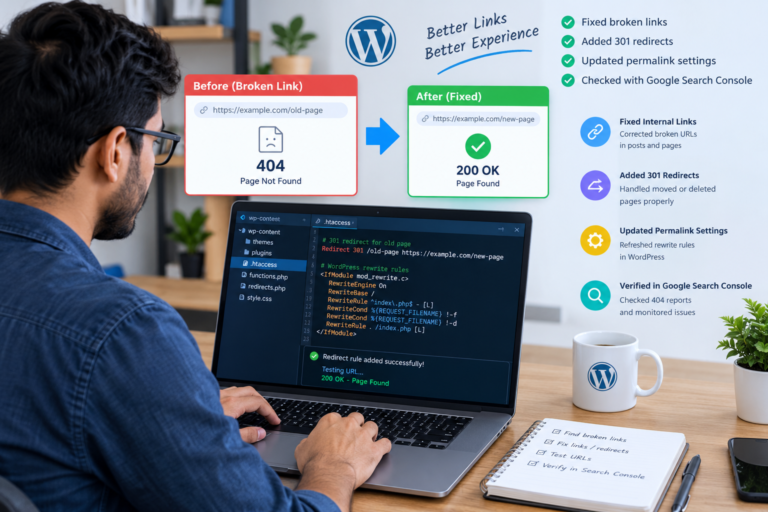
- Check important pages for broken links.
- Review website security alerts.
- Check website availability.
- Review important website functionality.
- Check whether your website displays correctly on mobile devices.
- Review important website analytics.
If you operate a WooCommerce store, also test the shopping cart, checkout process, and payment gateway regularly.
Monthly Website Maintenance Tasks
Complete these tasks at least once every month:
- Update WordPress core, themes, and plugins after checking compatibility.
- Create and verify a recent website backup.
- Check website loading speed.
- Optimize large images.
- Remove unnecessary plugins and themes.
- Review Google Search Console.
- Check website indexing issues.
- Review Google Analytics traffic.
- Test important website pages.
- Review user accounts and administrator permissions.
Always create a backup before performing major updates. Test updates on a staging website when possible.
Quarterly Website Maintenance Tasks
Every three months, perform a deeper website review:
- Review the overall website design.
- Check mobile responsiveness.
- Review website navigation.
- Identify outdated website content.
- Check SEO titles and meta descriptions.
- Review website accessibility.
- Test website security settings.
- Review hosting performance.
- Check database health.
- Evaluate website conversion performance.
These tasks help identify problems before they become bigger issues.
3. Website Maintenance Schedule: Animated Graph
The following chart presents a suggested maintenance schedule. It is a practical planning framework, not measured industry statistics.
Recommended task frequency:
- Weekly: Basic functionality checks.
- Monthly: Updates, backups, and performance reviews.
- Quarterly: Technical and design audits.
Add this code inside a WordPress Custom HTML block.
Website Maintenance Schedule
Recommended maintenance frequency
Note: The percentages represent illustrative chart values for visual presentation, not actual maintenance statistics.
4. Website Security and Backup Checklist
Website security should be one of your highest priorities. A website problem can affect your business reputation and customer experience.
Here are some important security practices:
Use SSL Certificates: Make sure your website uses HTTPS. SSL encryption helps protect information exchanged between visitors and your website.
Update WordPress Regularly: Keep WordPress, themes, and plugins updated. Review compatibility before applying updates.
Use Strong Passwords: Avoid simple administrator passwords. Use unique passwords and enable two-factor authentication where available.
Install Security Monitoring: Consider trusted security plugins that help monitor suspicious activity and security issues.
Create Regular Backups: Maintain automatic backups of website files and databases. Keep backup copies in a separate secure location.
Limit Administrator Access: Give users only the permissions they need to perform their work.
A backup is useful only if it can be restored. Periodically verify that your backup files are complete and usable.
5. Monitor Website Performance With an Animated Graph
Website speed influences how visitors experience your business. Slow pages can make navigation frustrating, especially for mobile users.
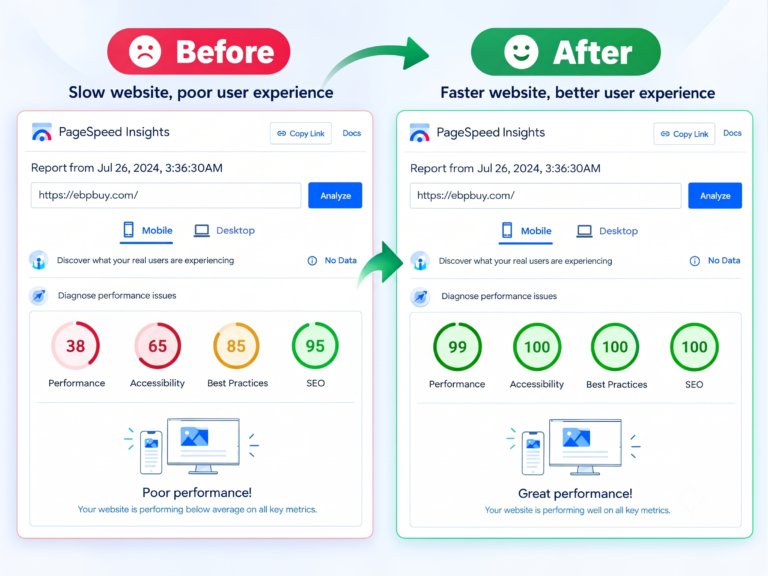
Use tools such as Google PageSpeed Insights and Google Search Console to identify performance problems.
Important performance areas include:
- Image optimization.
- Browser caching.
- Server response time.
- JavaScript and CSS optimization.
- Mobile performance.
- Core Web Vitals.
The following chart is an illustrative website performance monitoring dashboard. Its values are sample scores, not actual website test results.
Website Performance Dashboard
Illustrative website health scores
Remember that Google PageSpeed Insights uses specific performance metrics, while SEO and security require separate assessments. These illustrative scores are not official Google measurements.
6. Check Your Website Maintenance Progress
A maintenance checklist is more effective when you track completed tasks.
Create a simple spreadsheet or project tracker with three columns:
- Maintenance task.
- Completion status.
- Next review date.
For example, you can track WordPress updates, website backups, contact form testing, broken links, and image optimization.
The following animated chart demonstrates a sample maintenance task completion breakdown.
Monthly Maintenance Progress
Example task completion breakdown
This example uses an 80% illustrative completion value. Update the chart values to match your actual maintenance records.
7. Free Tools for Website Maintenance
Small businesses can use several free tools to monitor website performance and technical health.
| Tool | Main purpose |
|---|---|
| Google PageSpeed Insights | Website performance analysis |
| Google Search Console | Search visibility and indexing |
| Google Analytics 4 | Website traffic analysis |
| Google Rich Results Test | Structured data testing |
| WordPress Site Health | WordPress technical checks |
| SSL Labs | SSL configuration testing |
These tools help website owners identify issues without immediately hiring a developer.
8. When Should You Hire a WordPress Maintenance Professional?
Some maintenance tasks are simple, but others require technical knowledge.
You may need professional assistance when:
- Your website displays PHP errors or critical warnings.
- Plugins conflict after an update.
- Your website becomes unexpectedly slow.
- Your contact forms stop working.
- WooCommerce checkout or payment gateways fail.
- Your website experiences security problems.
- Your website backup cannot be restored.
- Your website has mobile display issues.
A WordPress developer can investigate the underlying problem, apply appropriate fixes, and help prevent recurring issues.
Professional website maintenance can save business owners time and help keep their websites reliable.
9. Final Website Maintenance Checklist
Before finishing your maintenance routine, review these essential tasks:
- Website is loading correctly.
- WordPress core is updated.
- Plugins and themes are checked and updated.
- Website backup is completed and verified.
- SSL certificate is working.
- Contact forms are tested.
- Important links are working.
- Website speed is monitored.
- Mobile responsiveness is checked.
- Google Search Console is reviewed.
- Website security is monitored.
- WooCommerce checkout is tested, if applicable.
Save this checklist and follow it regularly to keep your business website healthy.
Need Professional WordPress Website Maintenance?
Your website should help your business grow, not create technical problems.
If you need help with WordPress bug fixing, website speed optimization, Elementor customization, WooCommerce troubleshooting, or ongoing website maintenance, professional support can make managing your website easier.
At EBPBUY, we provide WordPress development and website maintenance solutions designed to help businesses maintain reliable, professional websites.
Visit our website: https://web.ebpbuy.com/
Explore our portfolio: https://web.ebpbuy.com/#Portfolio
Contact us to discuss your website maintenance requirements and get help keeping your website secure, fast, and functional.
Keep your website updated. Keep your customers connected. Keep your business growing.