Meta Pixel vs. Conversions API: What Is the Difference?
If you run Facebook or Instagram advertising for your business, tracking website visitors and customer actions is essential. Meta Ads uses conversion data to help advertisers understand campaign performance, measure results, and optimize advertising campaigns.
However, many website owners experience tracking problems. Their Meta Pixel may not record every purchase, lead, or checkout event. Browser privacy settings, ad blockers, connectivity issues, and JavaScript errors can affect browser-based tracking.
This is where the Meta Conversions API (CAPI) becomes important.
Both Meta Pixel and Conversions API help businesses send website activity and conversion information to Meta. However, they use different tracking methods.
In this article, we will explain Meta Pixel vs. Conversions API, their differences, benefits, limitations, and why combining both can improve conversion measurement.
1. What Is Meta Pixel?
Meta Pixel is a JavaScript tracking tool that businesses install on their websites. It collects information about visitor activities and sends configured events to Meta.
For example, when someone visits your WooCommerce store, views a product, adds an item to the shopping cart, or completes a purchase, the Meta Pixel can send these activities to Meta.
Common Meta Pixel events
- PageView – A visitor views a website page.
- ViewContent – Someone views a product or specific content.
- AddToCart – A visitor adds a product to the cart.
- InitiateCheckout – A customer starts checkout.
- Purchase – A customer completes an order.
- Lead – Someone submits a lead form.
Benefits of Meta Pixel
- Easy installation on WordPress websites.
- Tracks visitor activities through the browser.
- Supports website audience creation.
- Helps measure advertising conversions.
- Provides useful data for Meta Ads optimization.
Limitations of Meta Pixel
Meta Pixel depends on the visitor’s browser. Some browser privacy settings, ad blockers, network problems, and script-loading issues can prevent events from reaching Meta.
For example, a customer might successfully purchase a T-shirt from your WooCommerce store, but the browser-based Purchase event may fail to reach Meta.
This can create differences between your actual WooCommerce orders and the purchase events reported in Meta Events Manager.
2. What Is Meta Conversions API?
Meta Conversions API (CAPI) is a server-side tracking solution that sends website and business conversion events directly from a server or connected platform to Meta.
Unlike the Meta Pixel, which sends events through the visitor’s browser, CAPI sends events through a server-to-server connection.
For example, imagine a customer purchases a T-shirt from your WooCommerce store.
Your WooCommerce system records the successful order. A properly configured Conversions API integration can send the Purchase event directly from your server to Meta.
This provides another way to report important customer activities, even when browser-based tracking does not work.
Benefits of Conversions API
- Sends events through a server-side connection.
- Is less dependent on browser JavaScript.
- Can report confirmed purchases and leads.
- Supports CRM and offline conversion integrations.
- Can improve event coverage and measurement reliability.
- Provides another data source for Meta Ads optimization.
Important consideration
Conversions API does not automatically track every customer action. Your server, WooCommerce integration, or CRM must correctly generate and send the relevant events.
It also does not remove privacy, consent, or data-protection requirements.
3. Meta Pixel vs. Conversions API: Main Differences
Although both solutions send conversion information to Meta, their technical implementation is different.
| Feature | Meta Pixel | Conversions API |
|---|---|---|
| Tracking method | Browser-side | Server-side |
| Technology | JavaScript | Server requests/API |
| Data source | Visitor’s browser | Website server or connected system |
| Browser dependency | Yes | No direct browser dependency |
| Ad blocker impact | Can be affected | Less directly affected |
| Installation | Relatively simple | Requires integration |
| Purchase tracking | Yes | Yes |
| CRM integration | Limited | Supported |
| Offline events | Not directly suited | Supported |
| Event deduplication | Required when overlapping with CAPI | Required when overlapping with Pixel |
The main difference is where the conversion event originates.
Meta Pixel collects information through the visitor’s browser, while Conversions API sends information from your server or connected business systems.
4. How Browser-Side and Server-Side Tracking Work
Let’s understand the difference using a WooCommerce example.
Suppose a customer visits your online T-shirt store and purchases a product.
With Meta Pixel:
- The customer visits your website.
- Meta Pixel loads in the browser.
- The customer views a product.
- The customer adds the product to the cart.
- The customer completes checkout.
- The Pixel sends the Purchase event to Meta.
With Conversions API:
- The customer completes checkout.
- WooCommerce records the order.
- The integration detects the relevant order event.
- The server sends the Purchase event to Meta.
- Meta receives the server event.
Both methods can report the same purchase through different connections.
Browser vs. Server-Side Tracking
How Meta Tracking Works
Browser-side tracking (Meta Pixel)
Server-side tracking (Conversions API)
5. Why Should You Use Both Meta Pixel and Conversions API?
Using both tracking methods can provide more complete conversion information.
Meta Pixel collects browser activity, while Conversions API provides an additional server-side connection.
For example, a visitor may add a T-shirt to their cart and complete an order. If the browser fails to send the Purchase event, a correctly configured server integration may still send the order information.
However, using both systems requires proper event deduplication.
What Is Event Deduplication?
Event deduplication prevents Meta from counting the same customer action twice when it receives that action from both the browser and server.
For example:
- Meta Pixel sends a Purchase event.
- Conversions API sends the same Purchase event.
- Both events use the same event name and matching event ID.
- Meta identifies the duplicate events and processes them as one customer action.
Without correct deduplication, reporting can become inaccurate.
Understanding Event Deduplication
Event Deduplication Example
Illustrative example assuming all events are matching duplicates.
For correct deduplication, use the same event name and unique event ID for the same action on both the browser and server.
For example, the browser event uses eventID, while the server event uses event_id. Their values must match.
6. How to Set Up Meta Pixel and Conversions API on WordPress
If you use WordPress or WooCommerce, you can implement both tracking methods.
Here is a basic setup process:
Step 1: Create a Meta Pixel
- Open Meta Events Manager.
- Create or select your website data source.
- Find your Pixel ID.
- Connect the Pixel to your website.
Step 2: Install Meta Pixel on WordPress
You can use a suitable integration or a tag management solution to install the browser tracking code.
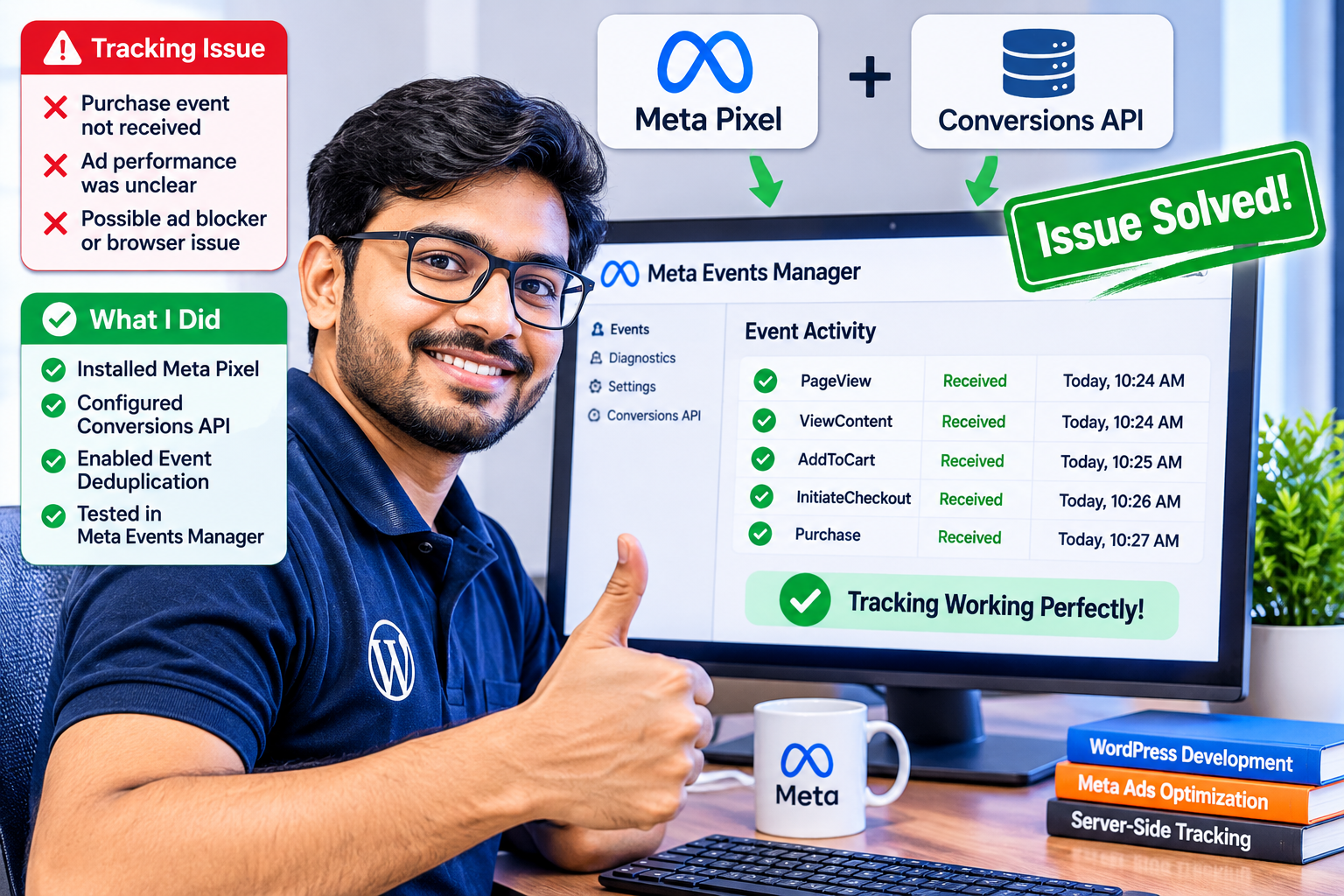
Check that PageView, ViewContent, AddToCart, InitiateCheckout, and Purchase events are configured correctly.
Step 3: Configure Conversions API
Connect your website or WooCommerce store to Meta through a supported server-side integration.
Configure the required event information, customer matching parameters, and event identifiers.
Step 4: Configure Event Deduplication
Make sure the same event sent through the browser and server shares the same event name and event ID.
Step 5: Test Your Events
Open Meta Events Manager and use the Test Events section to check whether browser and server events are arriving correctly.
Also compare Purchase events with actual WooCommerce orders.
7. HTML Animated Chart 3: A Combined Tracking Strategy
This illustrative chart shows how a combined tracking setup can provide two reporting channels for the same business events.
Tracking Strategy Comparison
Pixel Only
Conversions API Only
Pixel + Conversions API
Conceptual comparison: combined tracking provides two event-delivery paths. Bar lengths are illustrative, not measured performance results.
8. Common Meta Tracking Problems
Even when both systems are installed, incorrect configurations can cause tracking problems.
Some common issues include:
- Duplicate Purchase events.
- Missing AddToCart events.
- Incorrect Purchase values.
- Wrong currency settings.
- Missing event IDs.
- Incorrect customer matching parameters.
- Server connection or authentication errors.
- Incorrect WooCommerce checkout integration.
- Events not appearing in Meta Events Manager.
Regular testing is important to ensure that the tracking setup works correctly.
Meta Pixel and Conversions API are two important tools for measuring website conversions and understanding Meta Ads performance.
Meta Pixel tracks customer activity through the browser, while Conversions API sends events through a server-side connection.
For WordPress and WooCommerce businesses, combining both methods with correct event deduplication can provide more reliable conversion measurement.
If you operate an online store, lead-generation website, or service business, consider reviewing your Meta tracking setup to identify missing events, incorrect configurations, and duplicate conversions.
Accurate tracking helps businesses make better-informed advertising decisions.
Frequently Asked Questions (FAQ)
1. Is Meta Pixel better than Conversions API?
Neither is universally better. They use different tracking methods and provide complementary information. Using both can improve event coverage.
2. Can I use Conversions API without Meta Pixel?
Yes. Conversions API can work independently, but using it alongside the Pixel can provide an additional browser-based tracking channel.
3. Does Conversions API prevent all tracking loss?
No. It reduces dependence on browser-based tracking, but server integration errors, missing data, consent restrictions, and incorrect configurations can still affect event collection.
4. Is Conversions API suitable for WooCommerce?
Yes. WooCommerce stores can use supported integrations to send events such as Purchase, AddToCart, and InitiateCheckout to Meta.
5. Does using both Pixel and CAPI count purchases twice?
Not when matching events are correctly deduplicated. The same event name and event ID should be used for the browser and server copies.
6. How can I check whether Meta tracking works correctly?
Use Meta Events Manager’s Test Events and Diagnostics sections. Compare reported Purchase events with actual WooCommerce orders.
Need help with Meta Pixel and Conversions API setup?
web.ebpbuy.com provides WordPress development, WooCommerce troubleshooting, Meta Conversion API integration, and server-side tracking services.
Website: https://web.ebpbuy.com/
Portfolio: https://web.ebpbuy.com/#Portfolio