WordPress Bug Fixing
WordPress Bug Fixing | PHP Version Compatibility & Function Errors
1. What Was the Problem?
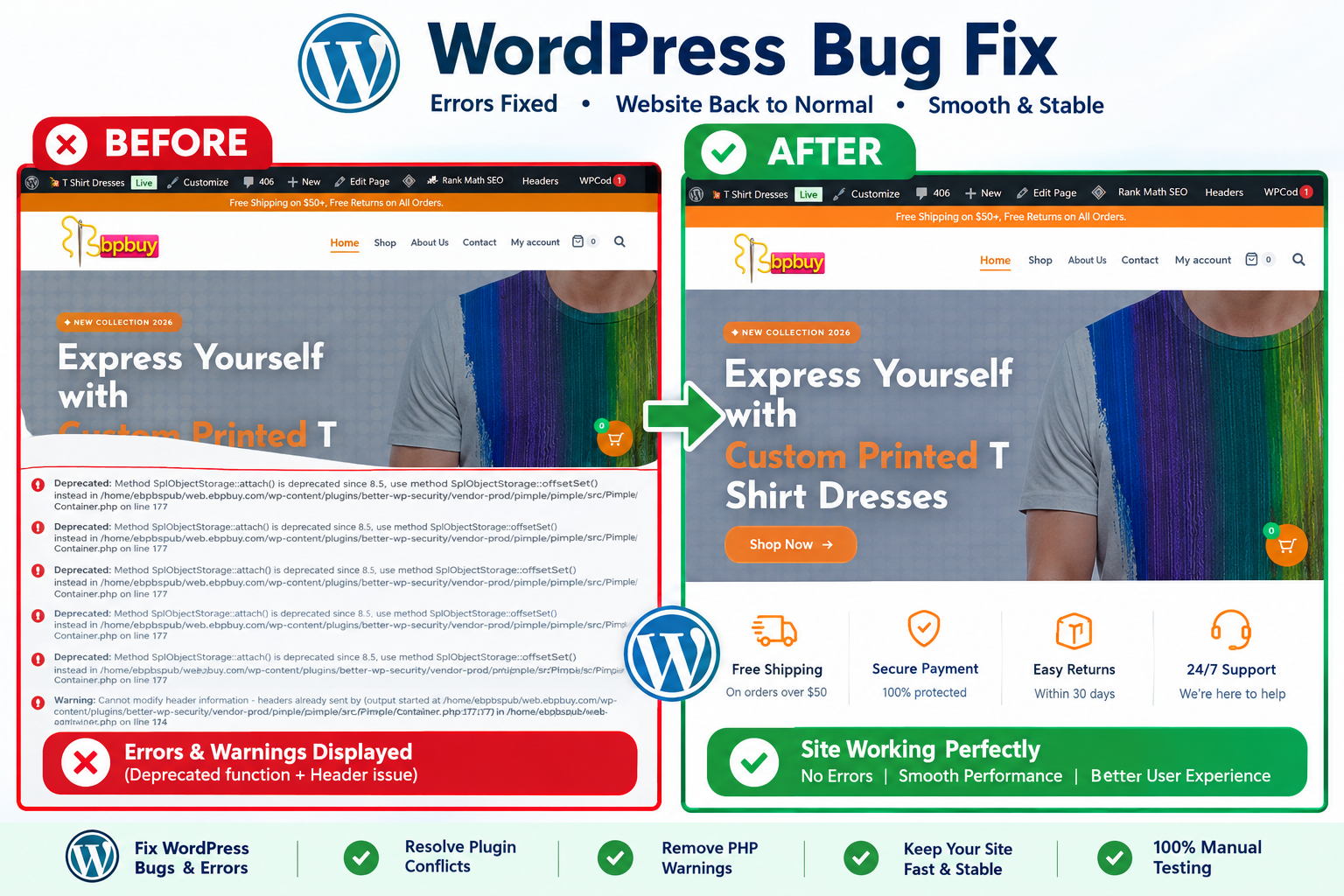
After a PHP version update, the WordPress website experienced compatibility issues. Some PHP functions were no longer working as expected, causing errors and affecting existing website functionality.
These issues can occur when older themes, plugins, or custom PHP code rely on outdated functions or behavior that changes between PHP versions.
The main objective was to identify the root cause of the errors and restore the website’s functionality without disrupting its existing features.
2. Who Can Benefit From This Solution?
This solution is ideal for:
- WordPress website owners experiencing PHP errors.
- Businesses whose websites stopped working after a PHP upgrade.
- WooCommerce store owners facing functionality issues.
- Website administrators maintaining older WordPress websites.
- Agencies needing reliable WordPress debugging and maintenance support.
3. My Work
I focused on troubleshooting the PHP compatibility issues and fixing the affected WordPress functionality.
My work included:
- Investigating PHP errors related to the version update.
- Identifying affected PHP functions and code sections.
- Reviewing custom code for compatibility problems.
- Updating or replacing incompatible function implementations where necessary.
- Testing the affected website features after applying fixes.
- Checking that the changes did not introduce new errors or disrupt existing functionality.
4. What Was My Challenge?
The main challenge was identifying why specific PHP functions stopped working after the version update.
The issue required careful debugging to distinguish between deprecated functions, removed functions, changed PHP behavior, and compatibility problems in themes or plugins.
Another important challenge was resolving the errors while preserving the existing website structure and avoiding unnecessary changes to unrelated functionality.
5. Why Was This Solution Necessary?
Keeping PHP compatible with the WordPress environment is important for website stability, security, and maintainability.
When a PHP upgrade exposes outdated code, simply reverting to an older version may postpone the problem rather than resolve it. Proper debugging and code updates help the website work with its intended PHP environment while supporting future maintenance.
The solution focused on addressing the underlying compatibility issues rather than applying temporary workarounds.
6. Final Result
The project focused on resolving PHP version compatibility issues and restoring the affected WordPress functionality.
Key outcomes included:
- Identification of PHP-related errors.
- Correction of incompatible or non-working PHP code.
- Improved compatibility with the updated PHP environment.
- Testing of affected website features.
- A more maintainable codebase for future updates.
Project Type: WordPress Bug Fixing & PHP Compatibility