How to Improve Core Web Vitals on a WordPress Website
A slow website can frustrate visitors, reduce engagement, and make it harder for potential customers to complete important actions. For small businesses, a fast and responsive website is essential for providing a good user experience and supporting online growth.
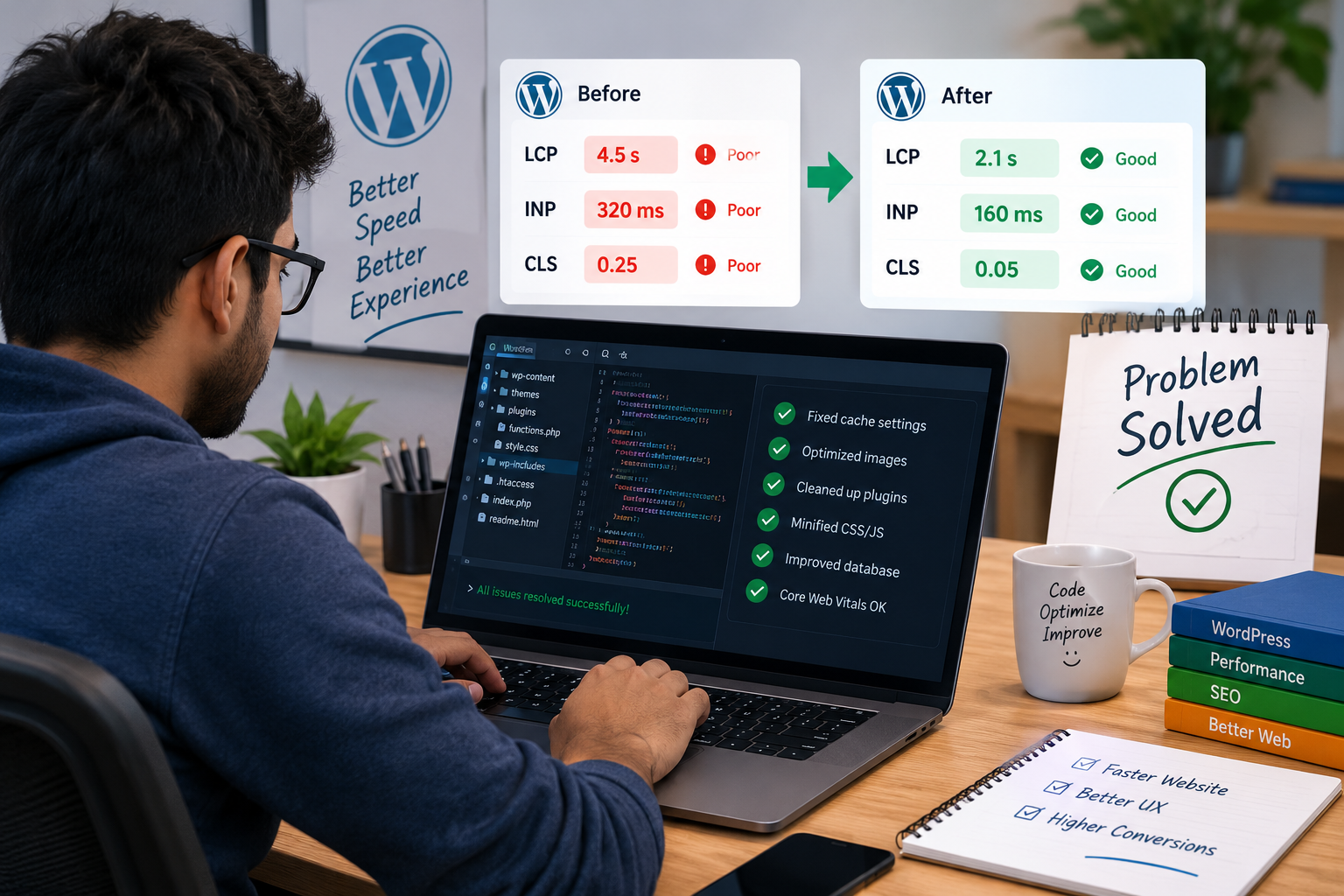
Google uses Core Web Vitals to measure important aspects of the user experience, including loading performance, responsiveness, and visual stability. If your WordPress website loads slowly, shifts content unexpectedly, or responds late when visitors click buttons, improving these metrics can help create a smoother browsing experience.
In this guide, you will learn how to improve Core Web Vitals on a WordPress website using practical optimization techniques that do not require advanced programming knowledge.
What Are Core Web Vitals?
Core Web Vitals are a set of user experience metrics used by Google to evaluate how visitors experience a webpage. The three primary metrics are Largest Contentful Paint (LCP), Interaction to Next Paint (INP), and Cumulative Layout Shift (CLS).
- Largest Contentful Paint (LCP): Measures how quickly the main content becomes visible.
- Interaction to Next Paint (INP): Measures how responsive a webpage is to user interactions.
- Cumulative Layout Shift (CLS): Measures unexpected movement of page elements while loading.
Google’s recommended thresholds are:
| Metric | Good result | What it measures |
|---|---|---|
| LCP | 2.5 seconds or less | Loading performance |
| INP | 200 milliseconds or less | Responsiveness |
| CLS | 0.1 or less | Visual stability |
These metrics are evaluated at the 75th percentile of page visits, meaning most visitors should experience performance within the recommended thresholds.
1. Test Your WordPress Website Performance
Before making changes, measure your website’s current performance. Testing helps you identify the problems that need attention instead of installing unnecessary optimization plugins.
Use these tools:
- Google PageSpeed Insights to analyze individual pages and view available real-user data.
- Google Search Console to identify groups of URLs with Core Web Vitals issues.
- Chrome DevTools to investigate JavaScript, network requests, and layout shifts.
Test your homepage, blog posts, product pages, and checkout pages separately. A website can perform well on the homepage but struggle on pages containing large product images, complex forms, or third-party scripts.
Remember that PageSpeed Insights includes both laboratory test results and, when available, real-user field data. Lab results are useful for debugging, while field data helps you understand actual visitor experiences.
2. Optimize Images to Improve LCP
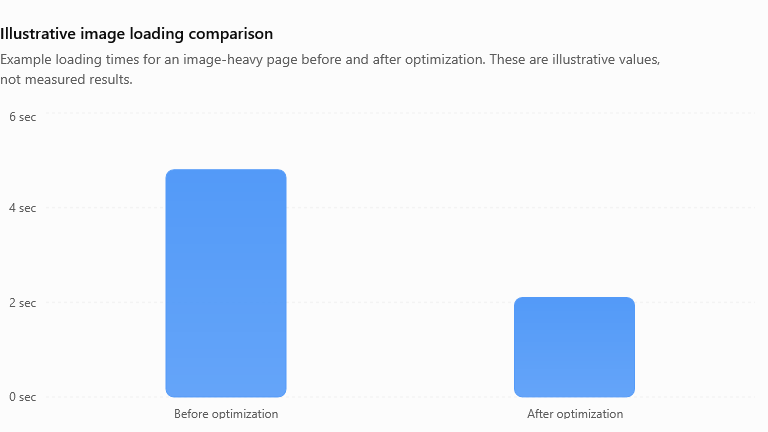
Large images are a common reason for slow WordPress pages. The main image or hero banner often determines the LCP result.
To improve image loading:
- Resize images to match their actual display dimensions.
- Use modern formats such as WebP or AVIF when supported.
- Compress images without noticeably reducing quality.
- Specify image width and height to reduce layout shifts.
- Lazy-load images below the initial viewport.
- Avoid lazy-loading the main above-the-fold LCP image.
You can use image optimization plugins to automate compression and format conversion. However, check the output to ensure your images remain clear.
For WooCommerce stores, optimize product images and thumbnails without compromising the details customers need to see.
3. Use a Caching Plugin
Caching helps WordPress serve pages more efficiently by reducing the need to generate every page from scratch.
Popular options include LiteSpeed Cache, WP Rocket, and W3 Total Cache. Choose a solution compatible with your hosting environment rather than activating several overlapping caching plugins.
Useful optimizations include:
- Page caching for visitors who are not logged in.
- Browser caching for static resources.
- GZIP or Brotli compression.
- CSS and JavaScript optimization, where compatible.
- Object caching when supported by your hosting setup.
If your website uses LiteSpeed Cache, start with page caching and image optimization. Enable CSS or JavaScript combination, delay, or removal settings gradually, then test menus, forms, payment buttons, and checkout functionality.
Caching can improve loading speed, but it will not automatically solve every Core Web Vitals problem.
4. Improve Your Hosting and Server Response Time
Your hosting environment affects how quickly a WordPress page begins loading. An overloaded server, limited resources, or an inefficient database can delay the delivery of HTML.
Consider these improvements:
- Choose hosting with sufficient CPU, memory, and PHP resources.
- Use a current, compatible PHP version.
- Enable server-level caching when available.
- Use a CDN to deliver static resources closer to visitors.
- Remove unnecessary database records and expired transients safely.
- Investigate slow database queries and excessive plugins.
A content delivery network can help visitors in different countries load static files more quickly. However, a CDN alone cannot fix slow PHP processing or poorly optimized page content.
5. Reduce JavaScript to Improve INP
Heavy JavaScript can delay responses to clicks, taps, and keyboard input. This is especially common on websites using many plugins, animation effects, popups, chat widgets, and tracking scripts.
To improve responsiveness:
- Remove plugins and scripts that are not needed.
- Defer non-critical JavaScript when safe.
- Delay third-party scripts until they are needed.
- Reduce unnecessary animations and interactive elements.
- Break up long-running JavaScript tasks.
- Test contact forms, navigation, search, and checkout after each change.
Do not disable scripts blindly. Payment gateways, analytics, consent tools, and form submissions may depend on specific JavaScript files.
If a page remains unresponsive, use Chrome DevTools to identify long tasks and determine which scripts consume the most main-thread time.
6. Prevent Layout Shifts to Improve CLS
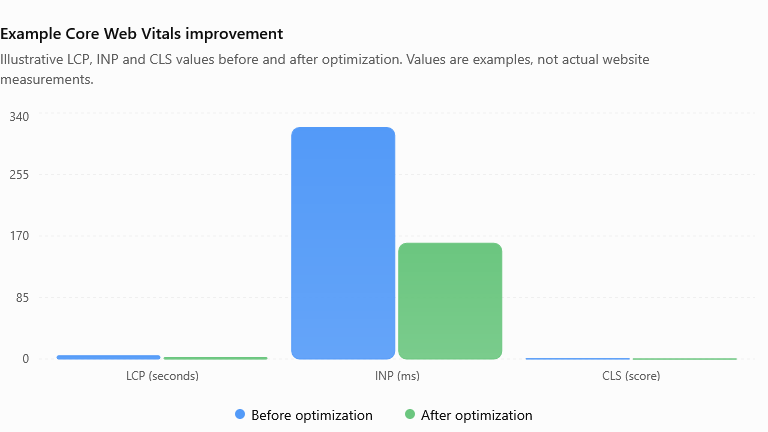
Unexpected layout movement makes a website difficult to use. For example, a visitor might try to click a navigation link, but an advertisement or image loads and moves the link.
To reduce CLS:
- Set explicit width and height attributes on images.
- Reserve space for advertisements and embedded videos.
- Use appropriately sized placeholders for dynamically loaded content.
- Avoid inserting banners above existing content without reserving space.
- Use stable font loading strategies.
- Keep buttons and navigation elements in consistent positions.
For WordPress themes and page builders such as Elementor and Kadence Blocks, inspect sections that load late or change size on mobile devices.
7. Choose Lightweight Themes and Plugins
Every theme and plugin can introduce additional CSS, JavaScript, database queries, or external requests. A website with unnecessary functionality may become difficult to optimize.
Audit your installed plugins and remove those that are inactive and no longer needed. Replace heavy components with lightweight alternatives where appropriate, and avoid installing multiple plugins that perform the same task.
Use a staging site to test major theme changes or plugin removals before applying them to a live business website.
8. Monitor Your Results Regularly
Core Web Vitals optimization is an ongoing process. A new plugin, theme update, marketing script, or product feature can change website performance.
After making changes:
- Clear relevant caches.
- Retest the same URLs under comparable conditions.
- Check mobile and desktop results.
- Verify forms, navigation, and purchase flows.
- Review real-user data as it becomes available.
Prioritize issues affecting important landing pages, product pages, and conversion paths. Improve the biggest bottlenecks first instead of chasing a perfect Lighthouse score.
Improving Core Web Vitals on a WordPress website requires attention to image optimization, caching, hosting, JavaScript, layout stability, and plugin efficiency. Small, carefully tested changes can make your website more responsive and enjoyable to use.
Start by testing your most important pages, identifying the largest performance bottlenecks, and applying one improvement at a time. Then monitor the results and make sure your website continues to work correctly.
A fast website supports a better user experience, but Core Web Vitals alone do not guarantee higher search rankings. Combine performance improvements with useful content, technical SEO, accessibility, and a clear website structure for the best overall results.
Need help improving your WordPress website speed? EBPBUY can help identify performance bottlenecks, resolve WordPress issues, and optimize your website for a smoother user experience.