WordPress Website Audit Checklist for Business Owners: Improve Performance, SEO, and Business Growth
A WordPress website should do more than look professional. It should help your business attract visitors, build trust, generate leads, and support sales.
However, slow loading times, security weaknesses, broken forms, outdated content, and poor mobile usability can prevent visitors from becoming customers.
A regular website audit helps business owners identify these problems and prioritize improvements. This WordPress Website Audit Checklist for Business Owners explains what to check, which performance metrics to monitor, and how website improvements can support measurable business growth.
1. Why Is a WordPress Website Audit Important?
A website audit evaluates your website’s technical health, performance, security, search engine optimization, content, and user experience.
For small businesses, the goal is straightforward: identify issues that could prevent the website from achieving its business objectives.
An audit can help you:
- Identify website speed and usability problems.
- Improve mobile browsing experiences.
- Find technical SEO errors.
- Reduce avoidable security risks.
- Fix broken links, forms, and buttons.
- Measure leads, sales, and visitor engagement.
- Make better decisions using website analytics.
Rather than changing everything at once, prioritize problems based on their potential impact on customers and business operations.
2. Business Growth Data: Why Website Performance Matters
Website performance can influence customer engagement and conversion outcomes. Research provides useful evidence for business owners evaluating their websites.
Research findings from Deloitte and Google
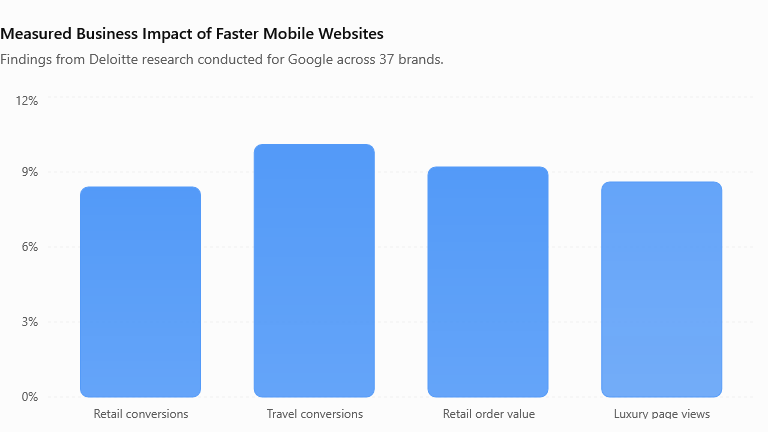
A 2020 study, Milliseconds Make Millions, examined mobile website data from 37 leading brands across retail, travel, luxury, and lead-generation sectors. The research reported the following results associated with a 0.1-second improvement in mobile site speed:
| Business metric | Reported result |
|---|---|
| Retail conversion rate | +8.4% |
| Retail average order value | +9.2% |
| Travel conversion rate | +10.1% |
| Luxury page views per session | +8.6% |
| Lead-generation information-page bounce rate | −8.3% |
Source: Deloitte, Milliseconds Make Millions.
These results come from the study’s participating brands. They are not guaranteed outcomes for every WordPress website, and the findings should not be interpreted as universal forecasts.
Landing-page conversion benchmark
Unbounce’s 2024 Conversion Benchmark Report analyzed approximately 41,000 landing pages, 464 million visitors, and 57 million conversions. It reported a median landing-page conversion rate of 6.6% across industries.
Source: Unbounce Conversion Benchmark Report.
A conversion might be a form submission, registration, purchase, or another desired action. Because industries and conversion definitions differ, use this figure as a broad reference rather than a required target for every business website.
The practical lesson is to measure your own website before and after making improvements.
3. WordPress Website Speed and Performance Audit
A slow website can frustrate visitors and make important actions more difficult.
Use Google PageSpeed Insights to test important pages on mobile and desktop. Review the following:
- Image sizes and modern image formats.
- Page caching and browser caching.
- Unused CSS and JavaScript.
- Excessive third-party scripts.
- Hosting response times.
- Large page-builder layouts.
- Core Web Vitals.
Google recommends these Core Web Vitals thresholds for a good user experience:
| Metric | Good performance target |
|---|---|
| Largest Contentful Paint (LCP) | 2.5 seconds or less |
| Interaction to Next Paint (INP) | 200 milliseconds or less |
| Cumulative Layout Shift (CLS) | 0.1 or less |
Source: Google Core Web Vitals.
Start with the biggest problems. Compress oversized images, remove unnecessary plugins, and configure caching carefully. Retest your pages after each significant change.
4. WordPress Security Audit for Small Businesses
Security issues can affect website availability, customer confidence, and business continuity.
Include these checks in your WordPress security audit:
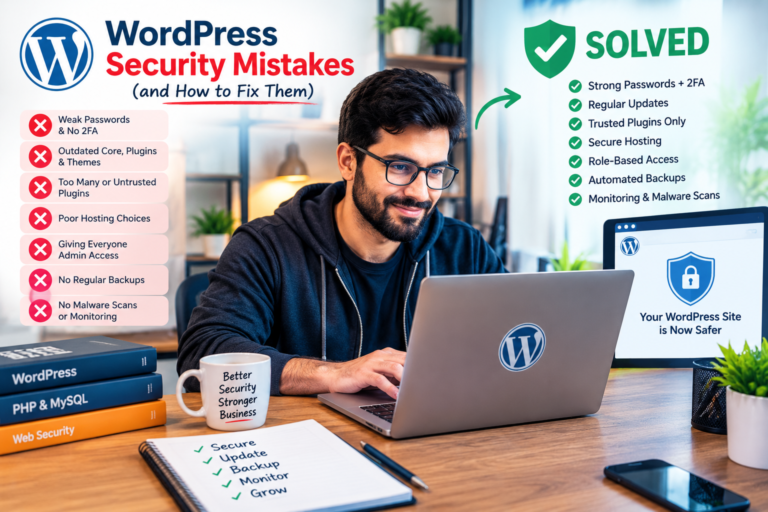
- Update WordPress core, themes, and plugins.
- Remove unused themes and plugins.
- Review administrator accounts and permissions.
- Use strong, unique passwords and two-factor authentication where available.
- Verify HTTPS configuration.
- Review security alerts and website logs.
- Check that backups are running correctly.
- Review access to hosting, databases, and connected services.
For WooCommerce stores, also review checkout security, payment integrations, and customer-data handling.
Create a backup before making major changes. Test updates on a staging website when possible, especially when the website relies on custom code or several connected plugins.
5. Mobile Responsiveness and User Experience
A business website must work well on smartphones, tablets, and desktop screens.
Test your homepage, service pages, contact forms, navigation, and checkout pages.
Look for:
- Text that is difficult to read.
- Buttons that are difficult to tap.
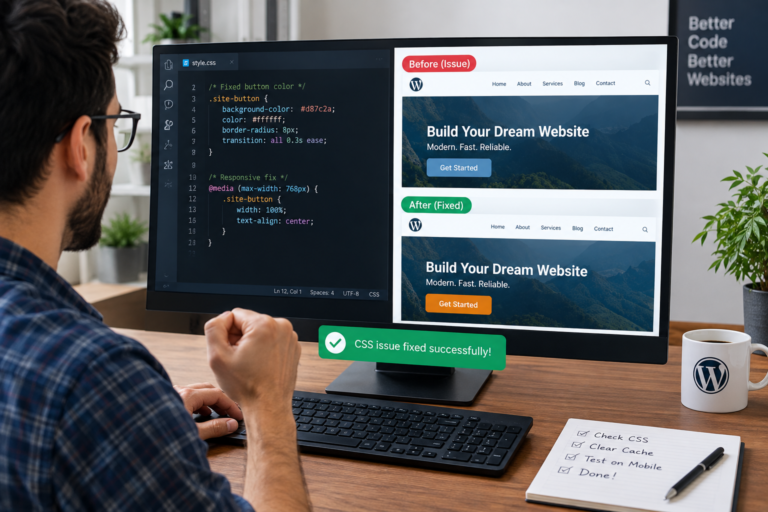
- Images extending beyond the screen.
- Overlapping sections.
- Horizontal scrolling.
- Forms that are difficult to complete.
- Pop-ups that obstruct important content.
If you use Elementor, Kadence Blocks, or another page builder, review its responsive settings for different screen sizes.
A responsive website makes it easier for customers to understand your services and complete important actions.
6. WordPress SEO Audit
Search engine optimization helps potential customers find your business through relevant searches.
Review the following SEO elements:
- Descriptive page titles and meta descriptions.
- A logical heading structure.
- Relevant, useful content.
- Readable URLs.
- Appropriate image alt text.
- Internal links between related pages.
- XML sitemap availability.
- Canonical URLs and indexability.
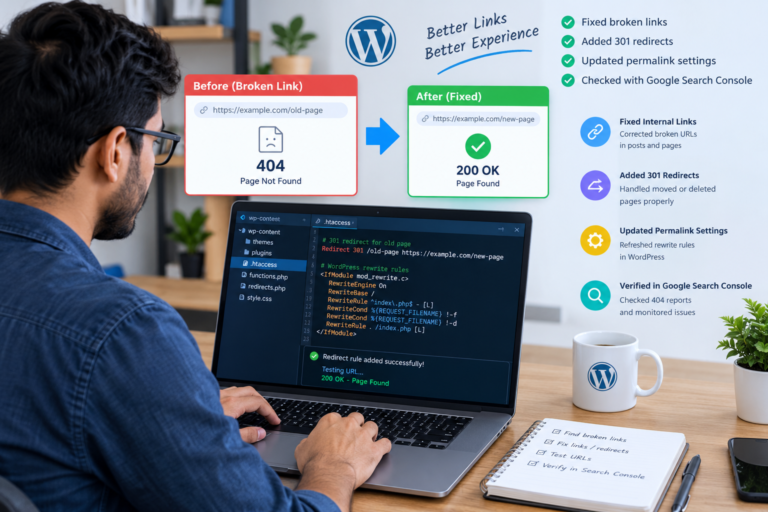
- Broken links and unnecessary redirects.
- Google Search Console reports.
Check that important pages are not accidentally marked noindex or blocked from crawling.
Create content that answers real customer questions rather than repeating keywords unnaturally. SEO improvements do not guarantee rankings, but technical accuracy and useful content provide a stronger foundation.
7. Audit Plugins, Themes, and WordPress Updates
Plugins and themes provide important functionality, but outdated or conflicting software can cause errors.
Review every installed plugin and theme. Confirm that each is needed, maintained, and compatible with your website.
Check for:
- Plugin conflicts.
- PHP errors and recurring warnings.
- Duplicate functionality.
- Outdated software.
- Broken layouts after updates.
- Unnecessary database or script overhead.
Do not remove a plugin without checking whether your website depends on its widgets, shortcodes, blocks, or other features.
8. Test Forms, Buttons, and Conversions
A website can receive visitors without generating business if its important functions fail.
Test contact forms, email notifications, WhatsApp links, phone links, booking forms, newsletter subscriptions, and calls to action.
For WooCommerce, test product pages, cart functionality, payment methods, coupon codes, shipping calculations, and order confirmation emails.
Track important conversions using suitable analytics tools. For example, a service business might measure contact form submissions, while an online store might measure completed purchases and revenue.
Fix broken customer journeys before spending more money to attract additional traffic.
9. Review Analytics and Measure Business Growth
Use Google Analytics, Google Search Console, and relevant website reports to establish a baseline.
Track these metrics monthly:
| Metric | What it helps you understand |
|---|---|
| Organic clicks | Visitors arriving through search results |
| Landing-page sessions | Visits to important entry pages |
| Conversion rate | Percentage of visitors completing a defined action |
| Qualified leads | Enquiries that match your business offering |
| Sales and revenue | Commercial results for online stores |
| Core Web Vitals | Real-user loading, responsiveness, and stability |
Calculate conversion rate using:
Conversion rate = (Conversions ÷ Visitors) × 100
For example, if a landing page receives 1,000 visitors and generates 40 enquiries, its conversion rate is 4%.
This is an illustrative calculation, not a claim about typical website performance.
Compare equivalent periods and account for changes in traffic sources, advertising, seasonality, and website content before attributing growth to an audit.
10. Create a Regular Website Audit Schedule
Use this schedule to maintain your WordPress website:
- Weekly: Check website availability, important forms, and security alerts.
- Monthly: Review backups, updates, website speed, broken links, and analytics.
- Quarterly: Conduct a broader SEO, security, content, and mobile usability audit.
- After major updates: Test checkout, forms, integrations, tracking, and page layouts.
Business-critical websites may need more frequent monitoring.
Conclusion: Turn Your Website Audit Into Business Improvements
A WordPress website audit is an opportunity to identify problems, improve the customer experience, and make more informed business decisions.
Start with website speed, security, mobile responsiveness, SEO, backups, and essential functionality. Then use analytics to measure whether your changes improve qualified traffic, enquiries, and sales.
Research from Deloitte and Google demonstrates why mobile performance deserves attention, while conversion benchmarks provide useful context for evaluating landing pages. Your own website data should determine which improvements matter most.
Need help improving your WordPress website?
A professional WordPress developer can help you audit website performance, fix technical errors, improve mobile responsiveness, optimize SEO foundations, and troubleshoot tracking or WooCommerce issues.
Invest in the improvements that solve real customer problems, and measure the results to guide your next steps.