7 WordPress Security Mistakes Small Businesses Should Avoid
A WordPress website is an important business asset. It helps small businesses attract customers, generate leads, sell products, and build trust online. However, poor security practices can expose business websites to malware, unauthorized access, data theft, spam, and unexpected downtime.
Many website owners assume that their hosting provider or security plugin will automatically protect their website. In reality, website security requires several layers of protection, including regular updates, strong passwords, reliable backups, secure hosting, and appropriate user permissions.
The risks are worth taking seriously. According to Patchstack’s State of WordPress Security in 2026 report, researchers identified 11,334 new vulnerabilities in the WordPress ecosystem during 2025, a 42% increase compared with 2024. Approximately 91% of these vulnerabilities were found in plugins and 9% in themes.
These figures do not mean that every WordPress website is vulnerable. They demonstrate why small businesses should review their website security regularly instead of waiting for a problem to occur.
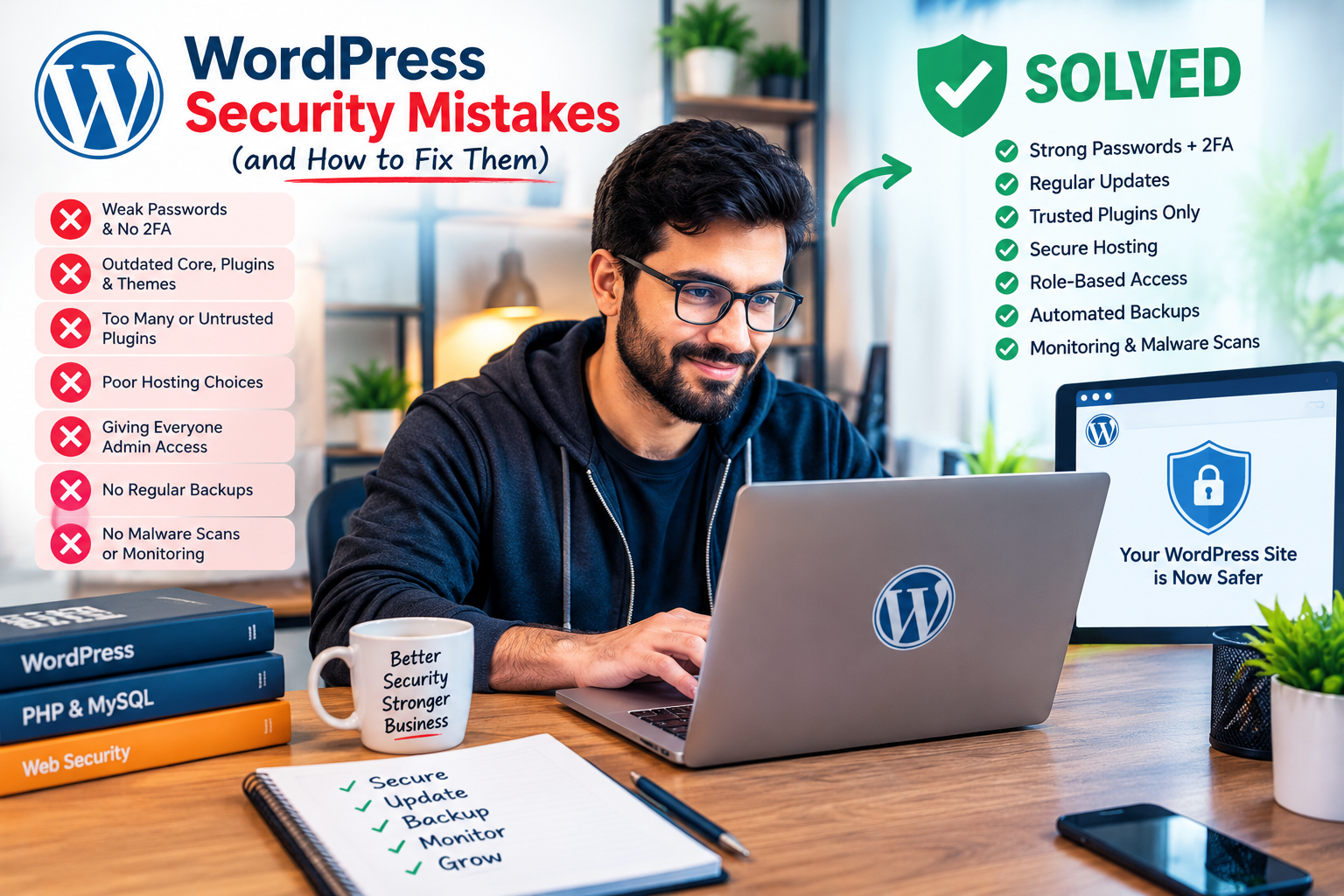
Here are seven common WordPress security mistakes small businesses should avoid and practical ways to address them.
1. Using Weak Passwords and Ignoring Two-Factor Authentication
Weak passwords are one of the most avoidable security risks for business websites. Passwords such as admin123, password123, or a business name followed by a few numbers can be easier to guess than a long, unique password.
The risk increases when multiple employees or developers share the same administrator login. If one person’s credentials are compromised, unauthorized users may gain access to important website settings, customer information, or business content.
How to avoid this mistake:
- Use long, unique passwords for every WordPress account.
- Enable two-factor authentication (2FA) for administrator accounts.
- Avoid sharing administrator credentials between employees.
- Create separate accounts for developers, editors, and other team members.
- Remove accounts that are no longer needed.
A password manager can help your team create and store strong passwords. Two-factor authentication adds another verification step, making a stolen password less useful on its own.
2. Ignoring WordPress, Plugin, and Theme Updates
Outdated software can contain security vulnerabilities that attackers may exploit. WordPress websites often depend on multiple plugins and themes, so maintaining the entire software stack is essential.
Patchstack’s 2025 research recorded 7,966 new vulnerabilities in the WordPress ecosystem during 2024. Its 2026 report recorded 11,334 in 2025, illustrating the importance of monitoring security updates.
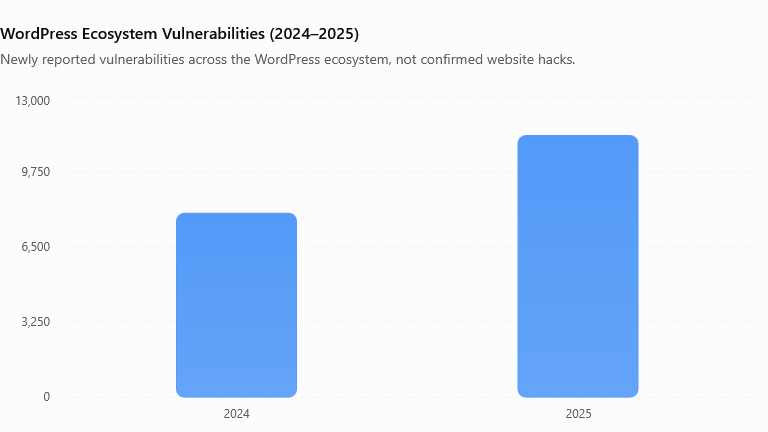
Source: Patchstack’s State of WordPress Security reports for 2025 and 2026. Figures describe reported vulnerabilities across the ecosystem, not confirmed attacks against individual websites.
How to avoid this mistake:
- Update WordPress core, plugins, and themes regularly.
- Remove plugins and themes that are no longer required.
- Check whether developers still maintain the software you use.
- Test significant updates on a staging website when possible.
- Keep a recent backup before major changes.
Do not assume that an automatic update solves every problem. Monitor update results and check that important website functions still work afterward.
3. Installing Too Many or Untrusted Plugins
Plugins extend WordPress with useful features, including contact forms, page builders, ecommerce functionality, analytics, and performance optimization. However, installing unnecessary or poorly maintained plugins can increase the number of potential security weaknesses on a website.
Patchstack’s 2026 report attributed approximately 91% of newly identified WordPress ecosystem vulnerabilities in 2025 to plugins. This makes plugin selection and maintenance important parts of a business security strategy.
A plugin’s popularity or price alone does not guarantee that it is secure. Even established products can develop vulnerabilities.
How to avoid this mistake:
- Download plugins from reputable sources.
- Review update history, documentation, and support availability.
- Check compatibility with your WordPress version.
- Avoid nulled or illegally redistributed premium plugins.
- Delete inactive plugins that you do not need.
- Review installed plugins periodically and replace abandoned software.
For example, a small business website may not need several plugins that perform the same caching, backup, or security function. Keeping a lean plugin setup makes maintenance easier and reduces unnecessary complexity.
4. Choosing Poor Hosting or Relying on Hosting Security Alone
Your hosting environment plays an important role in protecting your website. Weak account security, outdated server software, inadequate isolation between customer accounts, and limited backup options can increase risk.
However, choosing a reputable hosting company does not eliminate every WordPress vulnerability. Patchstack’s 2026 report described tests in which common hosting defenses blocked only 26% of the WordPress vulnerability attacks examined in one study. A separate test focusing on known exploited vulnerabilities reported a 12% block rate.
These results apply to specific tests and should not be interpreted as universal hosting protection rates. They highlight why hosting security should be combined with website-level safeguards.
How to avoid this mistake:
- Choose a host with supported software and clear security practices.
- Enable HTTPS using a valid SSL/TLS certificate.
- Protect your hosting account with a strong password and 2FA.
- Review the availability and retention of backups.
- Use a web application firewall (WAF) where appropriate.
- Keep your hosting control panel and associated applications updated.
A secure hosting environment, combined with responsible WordPress maintenance, offers better protection than relying on any single security feature.
5. Giving Every User Administrator Access
Not everyone who works on your website needs complete control. An administrator can change settings, install plugins, manage users, and make significant website modifications.
Giving every employee or contractor administrator access increases the potential impact of compromised accounts or accidental changes.
How to avoid this mistake:
- Give each person an individual WordPress account.
- Assign the lowest role that allows them to complete their work.
- Use the Editor role for people who primarily manage content.
- Provide administrator access only to trusted people who need it.
- Review user permissions whenever responsibilities change.
- Remove access promptly when a project or working relationship ends.
For example, a blog writer generally needs permission to create and edit content, not install plugins or manage administrator accounts. Restricting permissions helps protect your website if an account is compromised.
6. Skipping Backups or Never Testing Them
Even a well-maintained website can experience problems following a security incident, hosting failure, accidental deletion, or incompatible update. Without a reliable backup, restoring the website may become difficult and expensive.
A backup is useful only if it contains the necessary data and can be restored successfully. A backup stored exclusively on the same compromised hosting account may also be lost during an incident.
How to avoid this mistake:
- Schedule automatic backups based on how frequently your site changes.
- Back up both website files and the database.
- Store copies in a separate, secure location.
- Protect backup storage with appropriate access controls.
- Test restoration periodically in a safe environment.
- Keep multiple recovery points when practical.
An ecommerce website with daily orders may need more frequent backups than a small business website updated once a month. Choose a schedule that reflects how much data your business can afford to lose.
7. Ignoring Malware Scans, Security Monitoring, and Login Protection
Some website owners only investigate security after customers report suspicious redirects, strange pop-ups, spam pages, or checkout problems. By then, the issue may already have affected visitors or business operations.
A security plugin can help detect suspicious activity, but installing one does not guarantee complete protection. Monitoring, timely investigation, and a recovery plan remain necessary.
How to avoid this mistake:
- Use a reputable security scanner or monitoring service.
- Apply appropriate login rate limits or login protection.
- Review alerts for unexpected administrator accounts or file changes.
- Monitor your website for suspicious redirects and unusual activity.
- Keep logs where practical and review them when an alert occurs.
- Prepare a response plan for isolating, cleaning, and restoring an affected website.
If you suspect a compromise, contact your hosting provider or a qualified WordPress security professional. Preserve useful logs, secure affected accounts, and restore only from a backup you have reason to trust.
WordPress Security Data: Why Small Businesses Should Pay Attention
Patchstack’s published figures show how the vulnerability landscape changed between 2024 and 2025.
| Security indicator | 2024 | 2025 |
|---|---|---|
| New vulnerabilities reported | 7,966 | 11,334 |
| Plugin share | 96% | 91% |
| Theme share | 4% | 9% |
| Change in total vulnerabilities | — | +42% |
The data indicates that plugins and themes deserve ongoing attention. It does not establish that 42% more websites were hacked, or that 91% of WordPress sites are unsafe. Vulnerability counts and confirmed website compromises are different measurements.
For small businesses, the practical lesson is to maintain software, restrict access, monitor suspicious activity, and prepare for recovery before an incident occurs.
Conclusion
Avoiding these seven WordPress security mistakes can help small businesses reduce preventable risks and maintain a more reliable website.
Start with the basics: use strong passwords and two-factor authentication, update WordPress and its extensions, remove unnecessary plugins, choose reputable hosting, limit administrator access, maintain tested backups, and monitor for suspicious activity.
Security is not a one-time setup. It is an ongoing process that protects your website, your customers, and your business reputation.
If your website has outdated plugins, suspicious activity, missing backups, or recurring security warnings, consider arranging a professional WordPress security review. Identifying weaknesses early can make them easier to address before they interrupt your business.